TVs · 3 min read
LG TV for Streaming: Apps, Wi-Fi and Subscription Checks
Test the services you watch most before choosing a smart TV. Check the exact Malaysian model and the network available at its intended position.
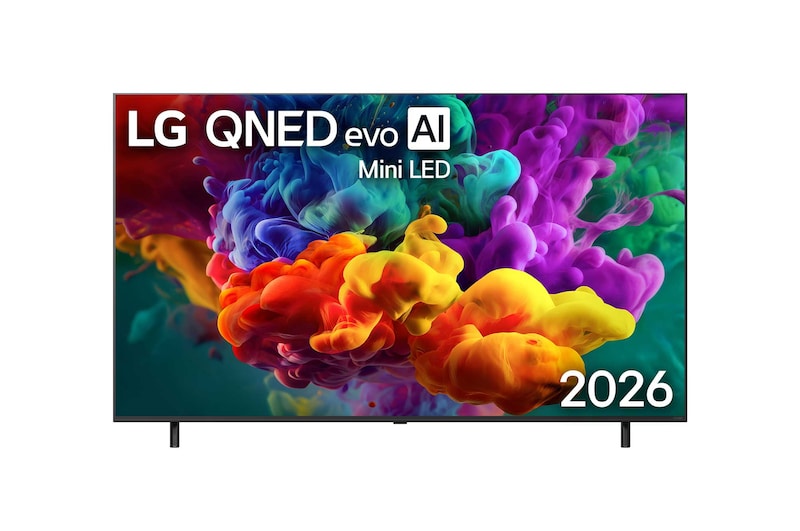
If streaming is your main way of watching television, begin with a list of the services and devices you use. That list should guide the smart-TV demonstration alongside picture quality and screen size.
Check the exact Malaysian model. A familiar TV brand or operating-system name does not by itself confirm every app, subscription tier or feature you want.
Use the model code during the demonstration
As one current example, LG lists webOS 26, Wi-Fi and an Ethernet input on the 65QNED87BSA. Those are hardware and platform details to use when discussing your setup. LG Malaysia 65QNED87BSA specification
Ask the supplier to check your required services for the exact model and region. If a service is essential, have its current availability demonstrated rather than relying on a generic app-logo photograph.
Confirm any separate account, plan or payment needed from the service provider. Keep a TV purchase or appliance subscription separate from the content subscriptions you intend to use.
Assess the network at the TV position
Tell the installer where the router is and where the television will stand. Include walls or another floor between those positions.
Ask how the proposed network connection should be assessed for the services you use. If a wired route is preferred, plan the cable position before mounting the screen or moving heavy furniture.
Describe any current buffering or connection problems to the installer and ask for a network assessment at the intended TV position.
Include existing streaming equipment
List a TV box, streaming player or console you want to retain. Check the connections and inputs needed for them, along with any soundbar.
Ask whether you will use a built-in app or an external device for each service. That decision can affect remote controls, input selection and how audio reaches the sound system.
Try an ordinary routine during setup: turn the equipment on, choose the service and return to another source. Include the person who will use those controls most often.
Plan sign-in and household access
Ask what account setup is required on the TV and each selected service. Keep control of your own sign-in details during setup and follow the service's account guidance.
Discuss relevant household settings, such as profiles, subtitles or accessibility preferences. Have the features you need demonstrated on the supplied equipment.
Check how software updates are handled and where to find model support. Treat future app availability as something to verify when needed rather than a permanent promise attached to a logo.
Frequently asked questions
Does buying an LG TV include every streaming subscription?
Confirm the package and each content service separately. App access and a paid viewing plan are different parts of the setup.
Can I assume an app available on another LG TV will be available here?
Check the exact model, region and current service support before choosing. Ask for a demonstration if that app is essential.
Check an LG TV against your streaming needs
Browse LG TVs and send your preferred services, existing devices and proposed TV position through our television enquiry page.
Back to all blogs ↗