TVs · 3 min read
Choosing an LG TV for Sports: Motion and Viewing Checks
Compare familiar sports footage from your usual source, then check the view from your actual seats with the room's lighting in mind.
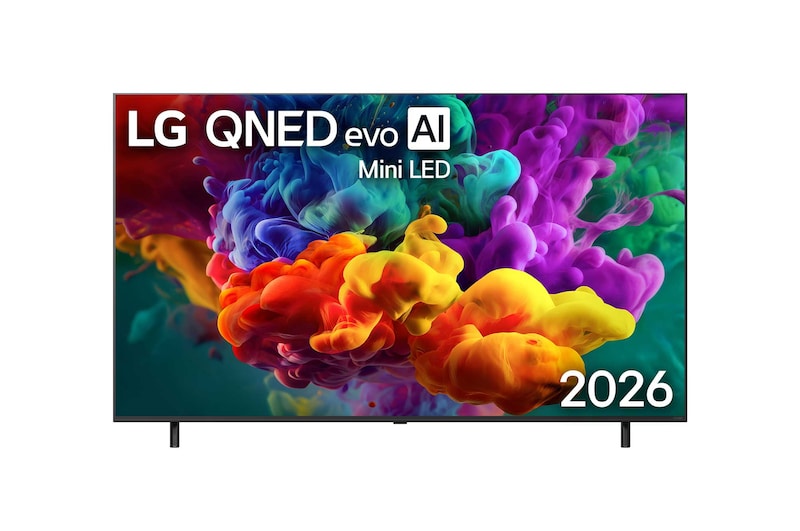
When comparing televisions for football, badminton or motorsport, ask to see familiar match footage. The source you normally watch is a useful test alongside a showroom demonstration clip.
Tell the supplier where you watch, how many seats are used and whether the room is bright during the games you follow. Those details help make the comparison specific to your home.
Read refresh-rate labels carefully
LG lists the 65QNED87BSA with a 120Hz native refresh rate and VRR up to 144Hz. Keep those entries separate when comparing specifications. LG Malaysia 65QNED87BSA display specification
Ask which specification relates to your viewing source. A gaming-related input capability does not establish the frame rate supplied by a sports service or broadcast.
Have the demonstrator identify the picture settings being used. If several settings are compared, note which you prefer so you can discuss reproducing that setup at home.
Watch the parts of a match you recognise
Look at movement across the playing area and the information overlaid on screen. Include a familiar camera pan or fast passage of play where possible.
Compare how the footage looks from your normal viewing distance. Ask for an explanation of the settings rather than selecting a television from an unfamiliar processing label alone.
Keep the content source consistent between shortlisted screens where practical. A different feed can make a comparison harder to interpret.
Assess the side seats and room lighting
Stand or sit at positions similar to the ends of your sofa. Check the picture and readability from those seats, not only the centre position directly in front of the screen.
Explain where the windows and lamps are in your room. If most matches are watched during the day, include that lighting condition in the discussion.
Mark the proposed screen size at home before choosing. Check that the scoreboard and subtitles are comfortable to read from the seats used most often.
Include the service and sound arrangement
Confirm how the match will reach the television: a built-in app, set-top box or another device. Ask about the current service requirements and the connections needed for that route.
If you want clearer commentary or a different audio setup, compare it with familiar match sound. Have the intended TV and soundbar combination demonstrated where possible.
Keep service subscriptions and network requirements separate from the screen purchase. Confirm the parts you need before booking installation.
Frequently asked questions
Does a higher listed gaming refresh mode improve every sports feed?
Check the actual source and viewing settings. Compare familiar footage rather than assuming one specification determines every programme's presentation.
Should the biggest available screen be the first choice?
Test the size from the seats you use and assess the available space. Include readability, viewing preferences and installation in the decision.
Build an LG TV shortlist for sports viewing
View LG 65QNED87BSA or browse LG televisions. Send your sports service, seating plan and room lighting details through our TV enquiry page.
Back to all blogs ↗