xboom speakers · 3 min read
LG xboom Stage 301: Microphone and Guitar Setup Guide
Bring the model details of your microphone or instrument when comparing Stage 301. Confirm the complete connection arrangement before planning a gathering.
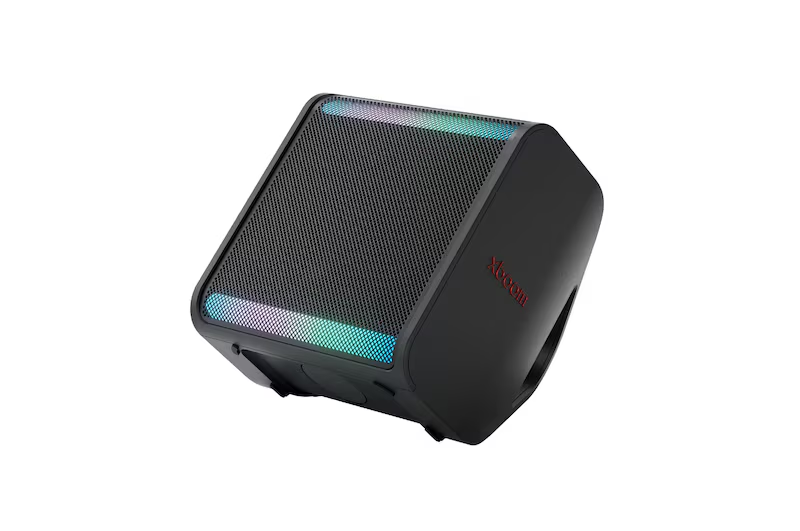
If you want one speaker for music and occasional use with a microphone or guitar, LG xboom Stage 301 is worth assessing with the equipment you already own.
LG's Malaysia page identifies support for connecting a mic or guitar. Confirm the intended connection and controls for your actual equipment before planning a home performance or gathering. LG Stage 301 product details
Bring the equipment details to the demonstration
Write down the microphone or instrument model and photograph its connections. Include any receiver, preamp or other equipment you intend to use.
Ask the supplier to check the complete signal arrangement. Confirm the connector type, cable and whether any additional device is required.
Explain whether you want music playback alongside the connected source. Ask which combinations are supported and have the relevant controls demonstrated rather than assuming every input can be mixed in the way you expect.
Try the controls with the intended use
A microphone used for a short announcement creates a different demonstration from a guitar used through several songs. Describe the use you have in mind and ask to try the matching arrangement.
Check which level controls are available for each source and how ordinary playback is adjusted. If app settings are part of the setup, confirm the phone and connection requirements.
Ask for the recommended procedure for connecting, starting and finishing a session. Keep those instructions with the equipment so another household member can follow the same routine.
Choose a practical speaker position
Plan where the speaker, performer and listeners will be. Include space for the cables and a route that keeps normal movement practical.
Ask which supported positioning arrangement suits the room. If you want a stand or another accessory, confirm compatibility, supply and setup separately.
Try a demonstration at the volume you expect to use. Assess speech or the instrument along with the music you normally play rather than relying on a brief loud clip.
Plan power and session length
Tell the supplier how long the gathering or practice session will last and whether mains power will be available. Ask about runtime for the actual operating arrangement and the charging plan.
For a shared venue, check the available space and venue requirements before bringing equipment. Agree on the setup with the person responsible for the location.
Confirm the supplied accessories
Ask whether the microphone, instrument cable or stand shown during a demonstration is included in your quoted package. List required extras before comparing the total purchase or subscription arrangement.
Confirm the service and warranty terms for the supplied speaker and any separately purchased accessories. Keep their model details together for later support.
Frequently asked questions
Does mic support mean a microphone is included?
Confirm package contents in writing. A supported connection and a supplied accessory are separate points to check.
Can I use music and any instrument together automatically?
Have the supplier verify the intended input combination and controls with the exact equipment before ordering.
Check Stage 301 with your microphone or instrument
Explore LG xboom Stage 301 and send the equipment codes and intended use through our speaker enquiry page.
Back to all blogs ↗